Customer Case Study · PCB supplier · Quote pricing
Pricing without the Power App,
on a platform the business owns.
A South African printed-circuit-board supplier priced every customer quote in a Microsoft Power Apps tool called Quote Builder. In eight weeks ScaleMind rebuilt the pricing function inside the supplier's own operations platform, connected it directly to Business Central, and carried twenty months of quote history across. Quoting never stopped.
8,338
quotes migrated
24,541
price lines preserved
5
automation flows retired
8 weeks
first template to cut-over
The challenge
One price, two systems.
Quote Builder worked, but it had grown into a Power App with 133 pricing columns, five automation flows and a database that Business Central only partly mirrored. Every improvement meant editing the app and the flows, and only 33 licensed people could open it.
Results
What changed for the business.
Two
One
Pricing system of record
Business Central written once from the selected price.
App → flow → Dataverse → BC
Direct
Path to Business Central
One platform action, results recorded on the quote.
33 licences
All staff
Who can see pricing
Controlled by permission, not by licence count.
Not available
1 click
History while pricing
24.5k historic lines plus every new quote.
Before
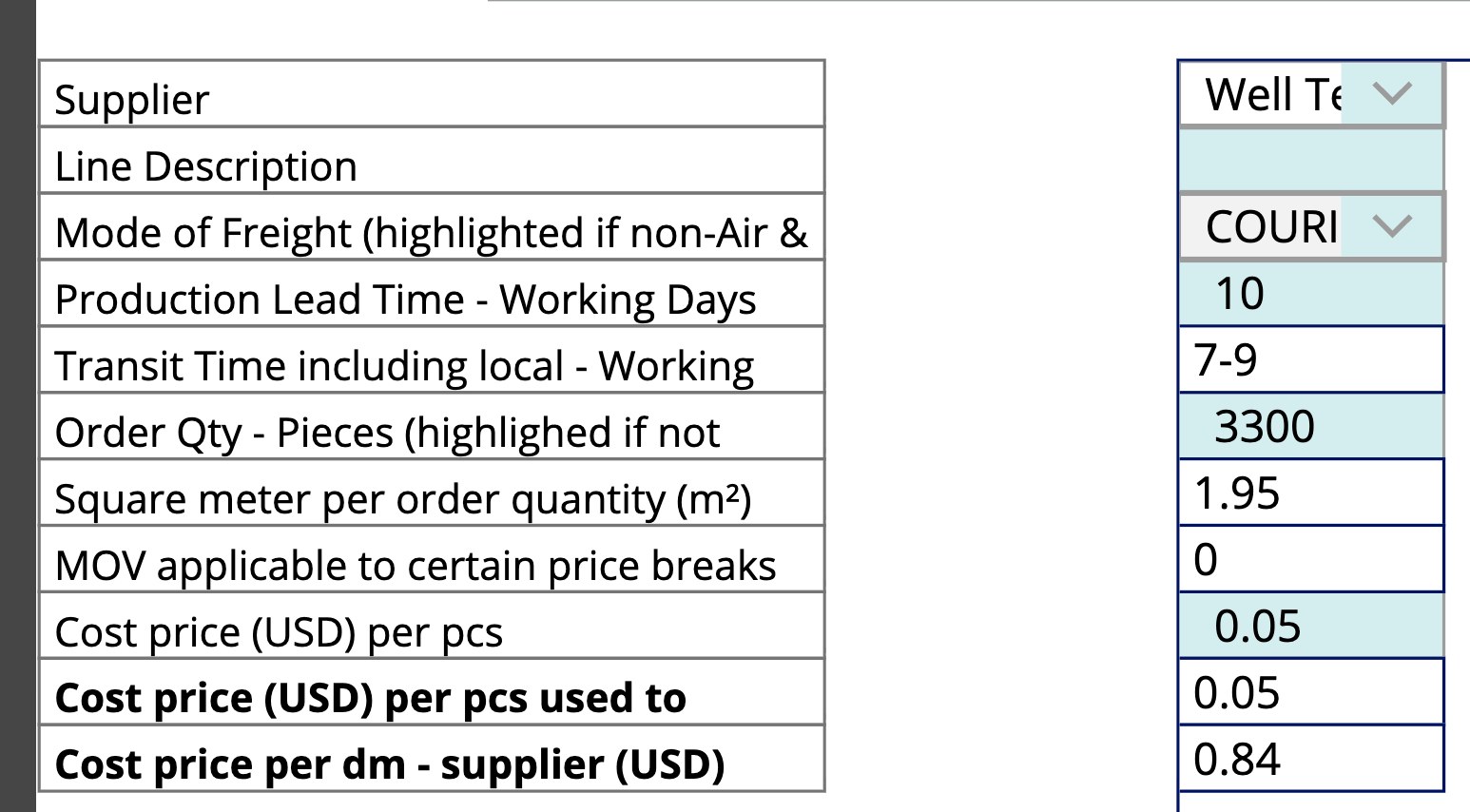
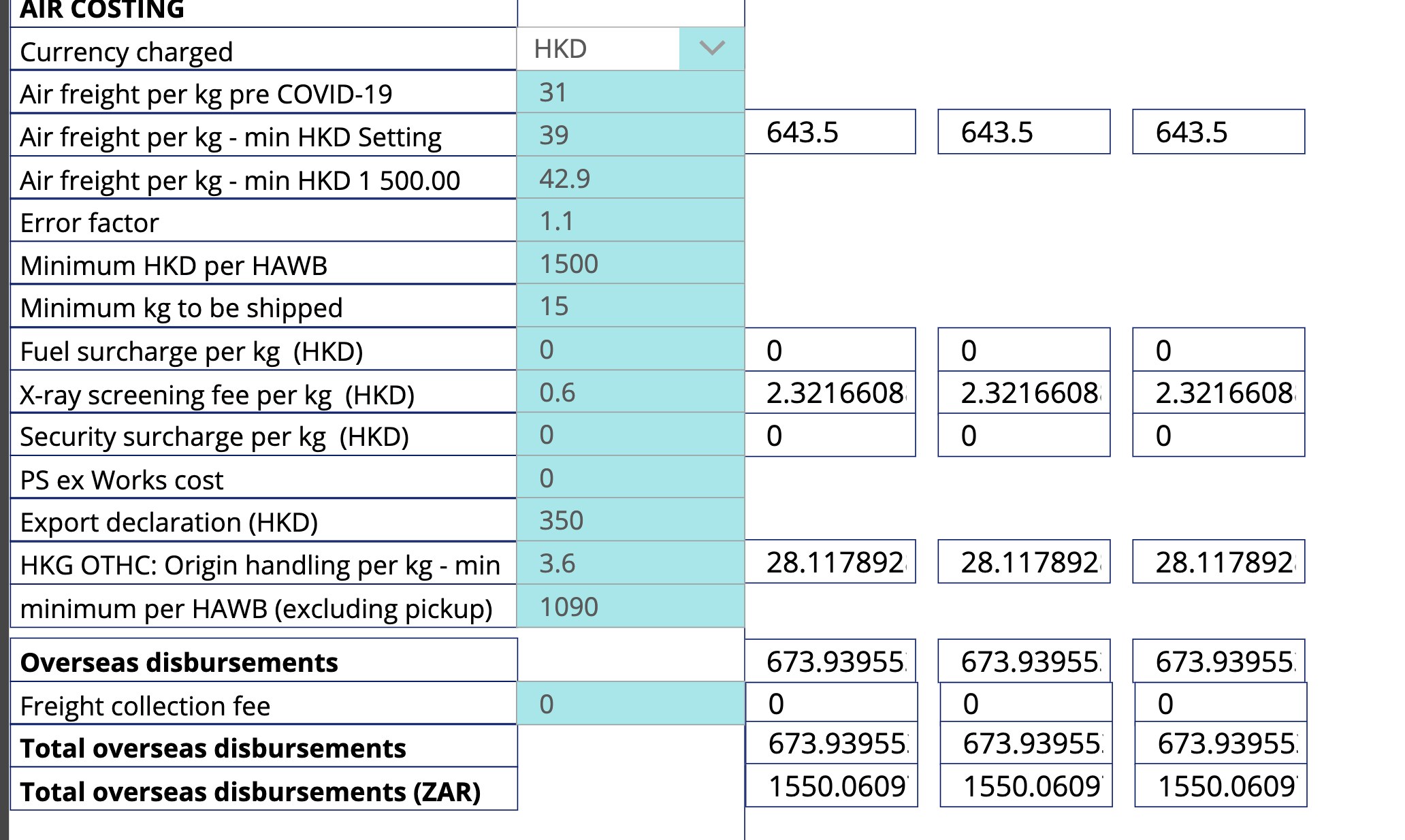
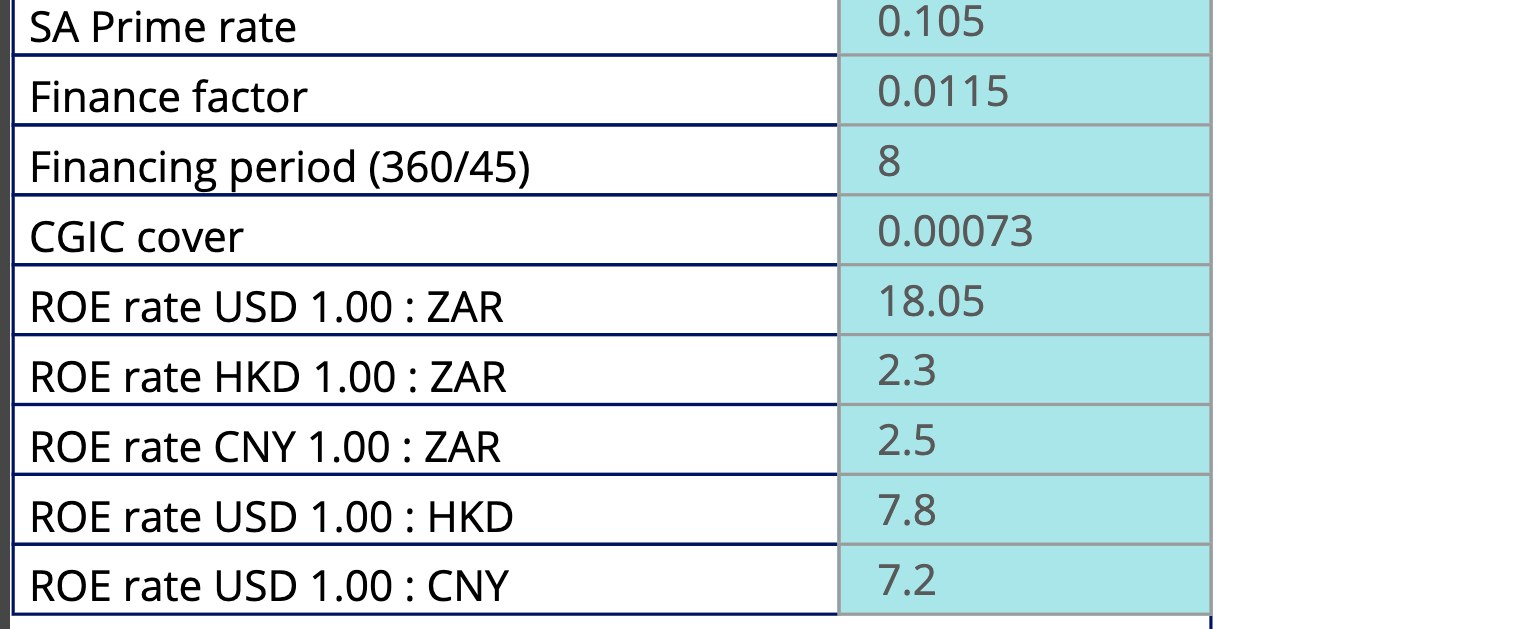
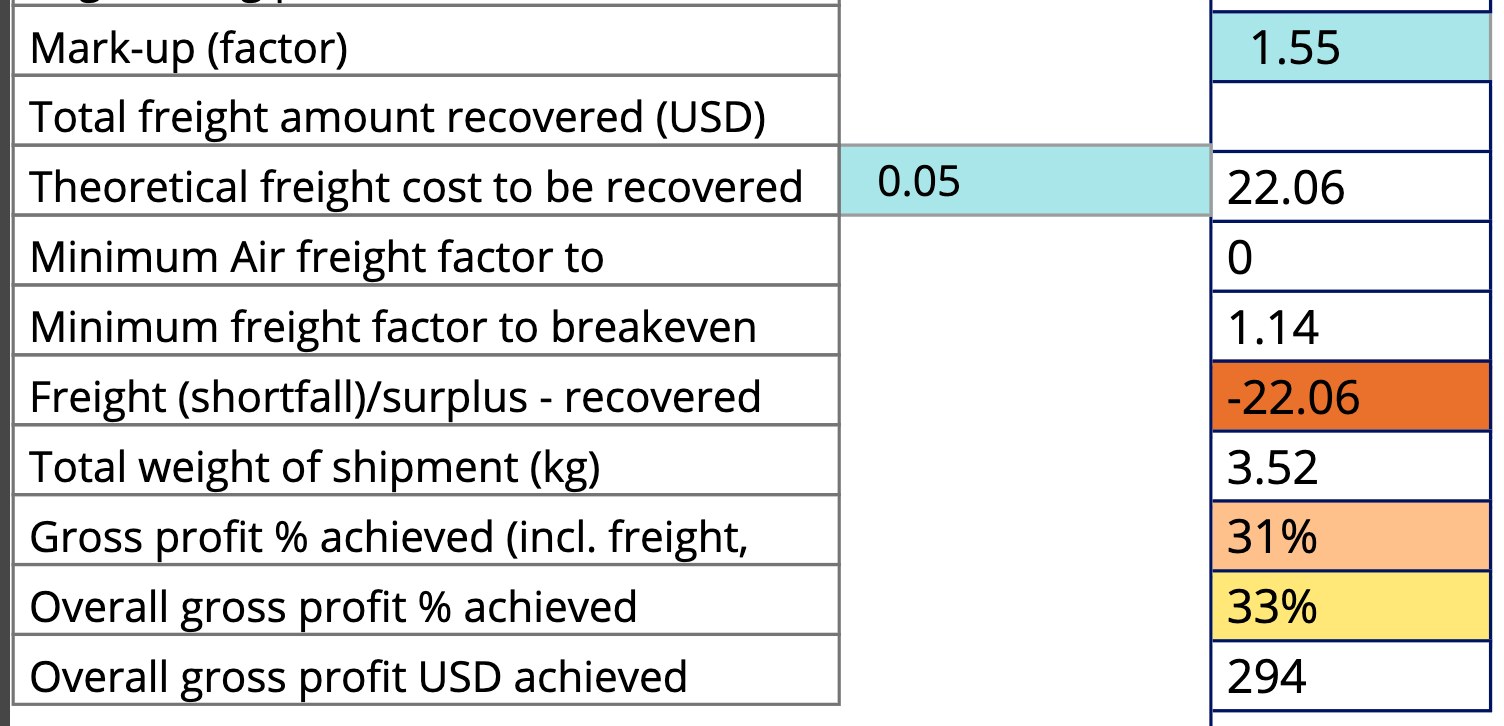
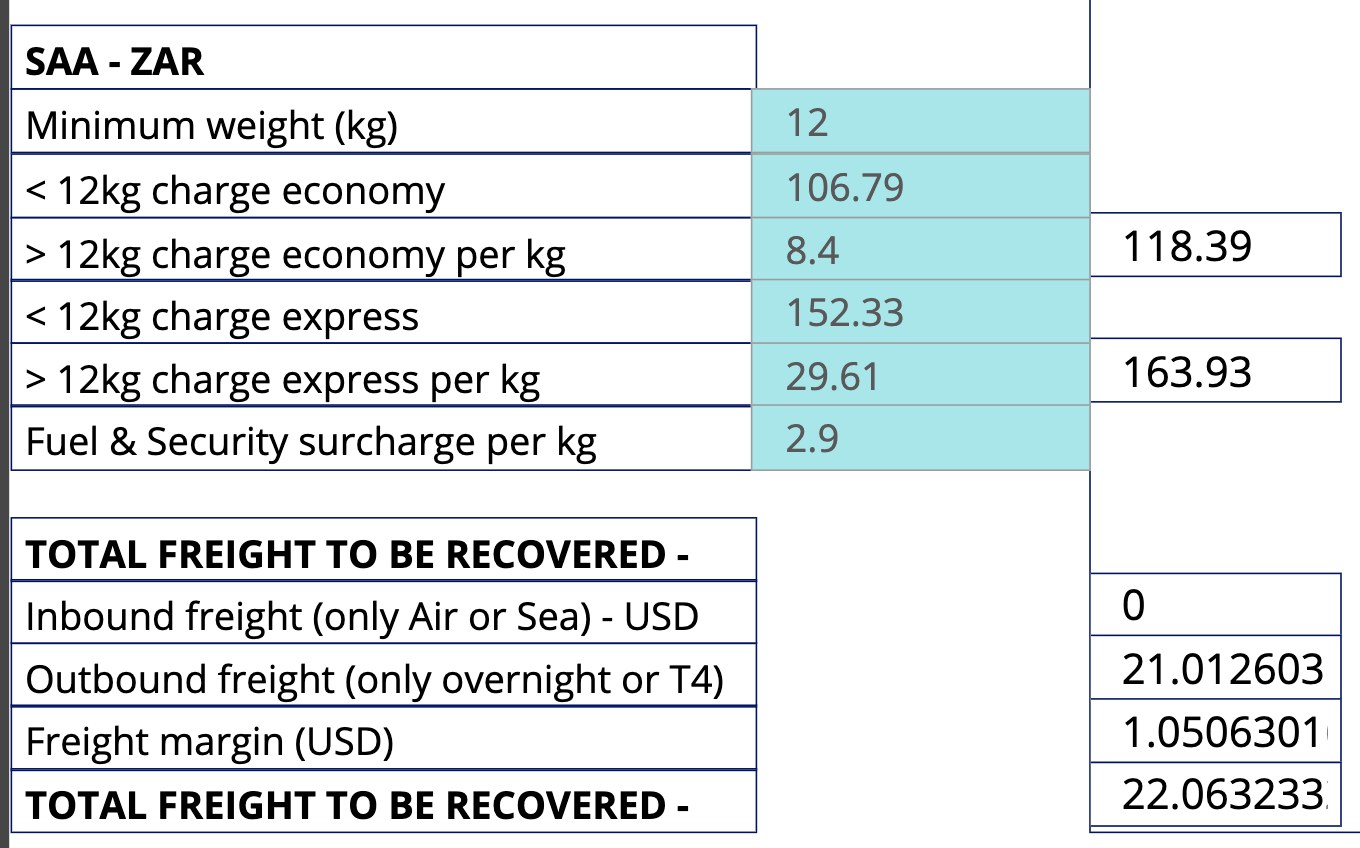
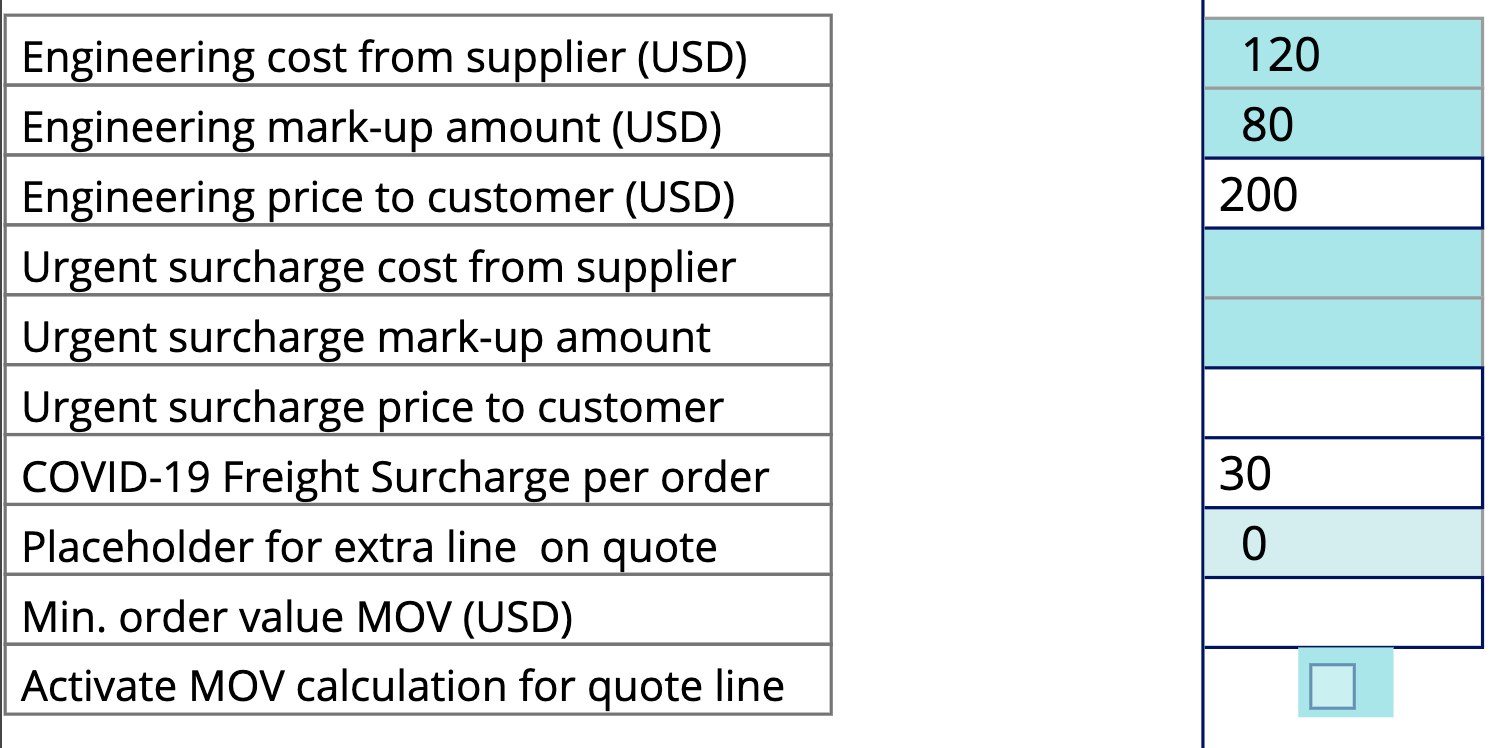
What it looked like: pricing one line in Quote Builder.
Every quote line was priced by typing into a long column of cells. Freight tables, exchange rates and margin factors all lived on the same screen, and the formulas behind them were buried in the app.
Behind the app
Fifty automation steps to raise a purchase order.
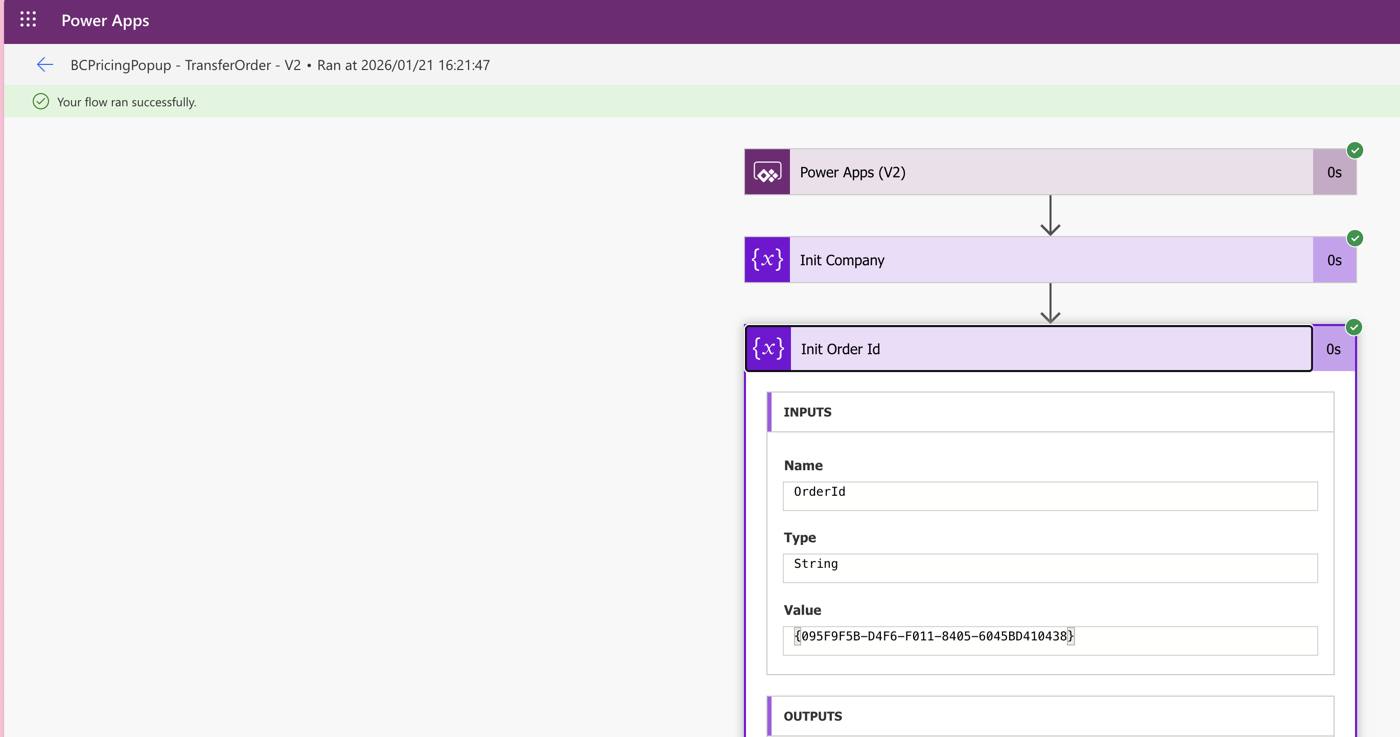
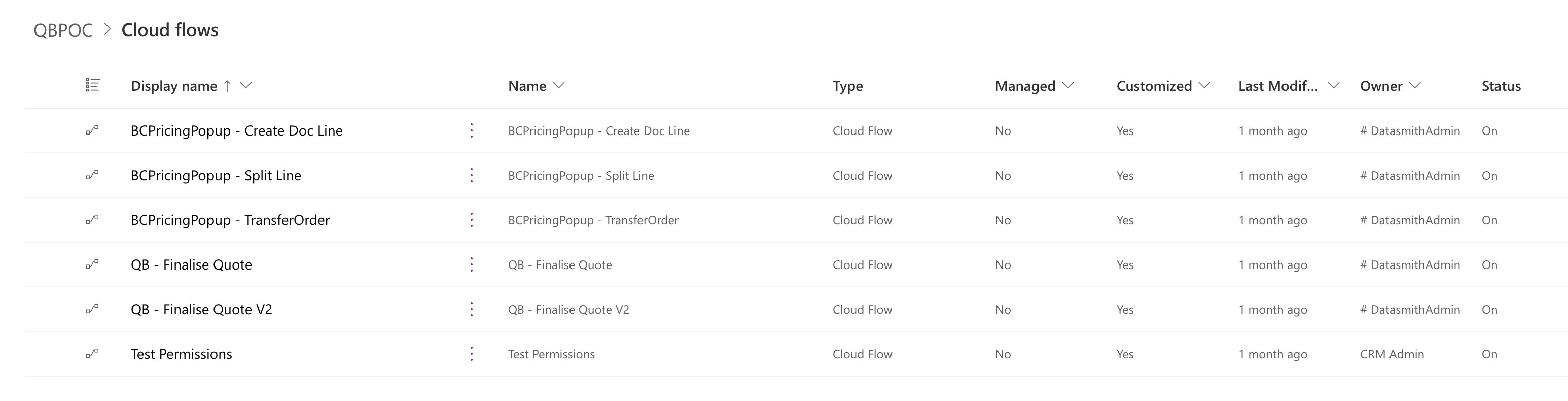
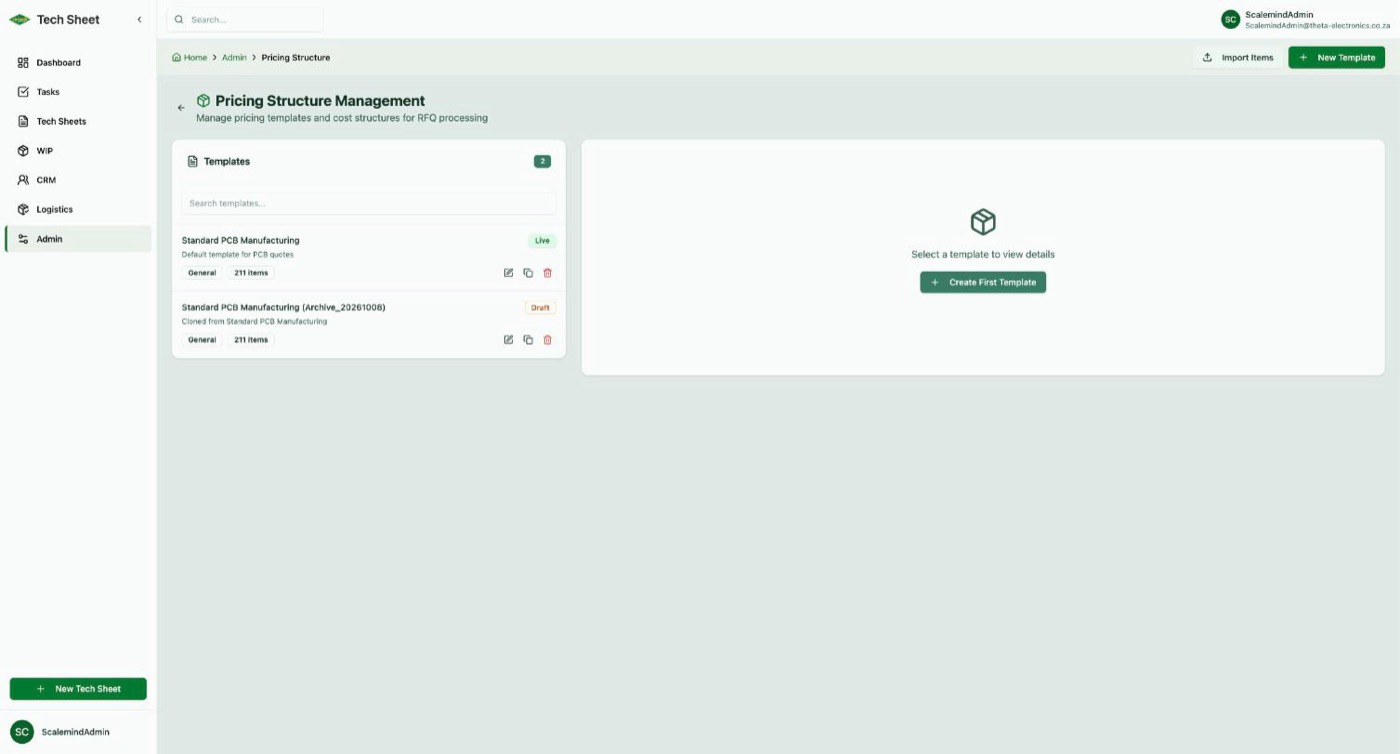
Cost-model changes moved from "edit the app and five flows" to "edit a template". Approval decisions are recorded against the quote instead of a role flag. The standard PCB template holds 211 cost items, each one a line the business can change itself.
What was replaced
Every Quote Builder component has a home.
Each piece of the Power Platform build was mapped to a part of the new platform before it was switched off. Nothing was left running without an owner.
Quote Builder canvas app
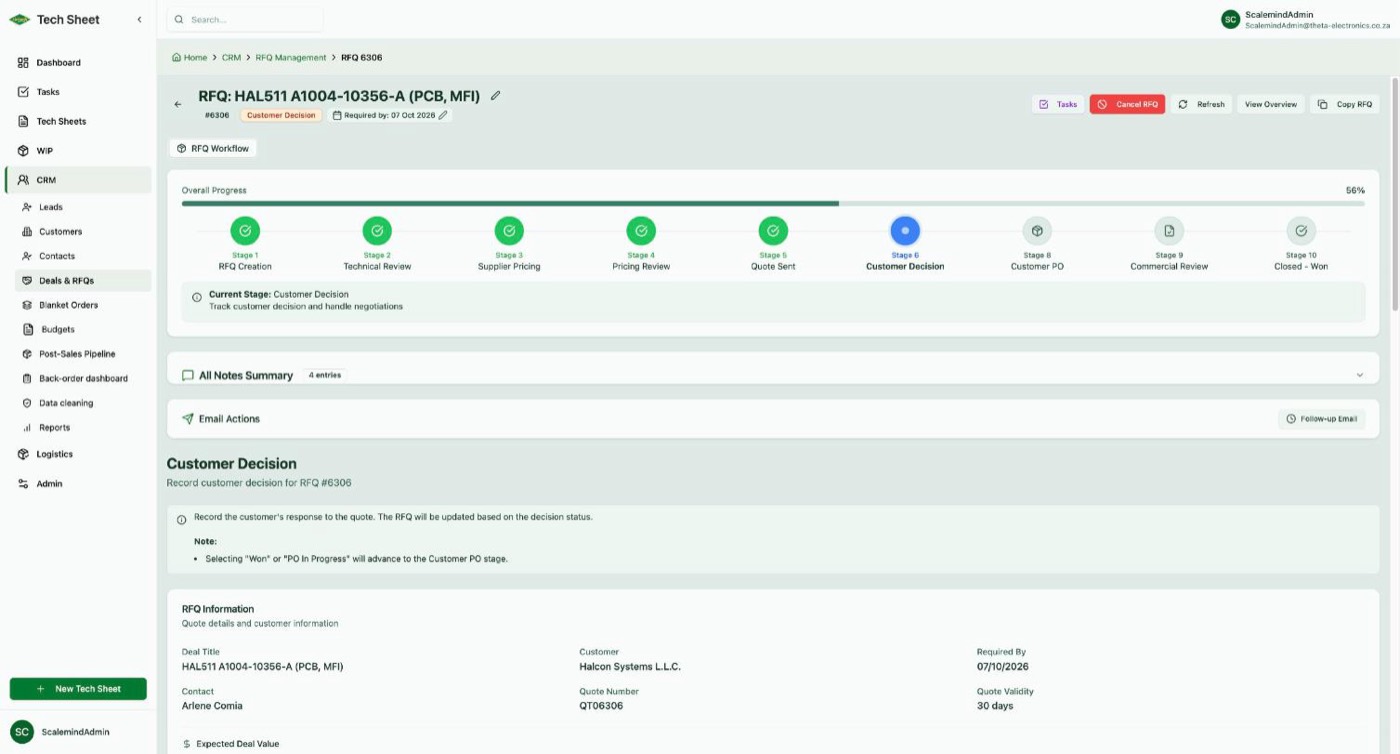
Now the RFQ module: creation, technical review, supplier pricing, pricing review, quote sent, customer decision and commercial review, each stage with an owner.
Quote header table (78 fields)
Now the RFQ and its line items. The PCB specification is pulled from the tech sheet instead of being re-typed.
Price-line table (133 fixed columns)
Now a supplier-by-item pricing matrix with one row per cost component. Adding a cost no longer needs a schema change.
Pricing rules inside app formulas
Now pricing templates: per-unit, fixed, percentage, formula and weight-based costs, maintained in the admin area. Lines that depend on other lines are ordered by a topological sort (Kahn's algorithm), so a markup is always calculated after the costs it marks up.
Freight rate-card table
Now air-freight and freight tables in the platform. Changing the mode of freight re-prices only the freight lines.
Exchange rate typed per quote
Now the FCIR or FEC rate is resolved automatically and synced from Business Central.
"Finalise Quote" flow (33 steps)
Now two platform actions: push pricing and create sales quote, with results and retries recorded on the RFQ.
"Transfer Order" flow (50 steps)
Now Create BC Orders from the post-sales board: the sales order plus per-vendor purchase orders in one step.
App access list and roles
Now Azure AD login with a permission matrix and configurable approval profiles. No per-user licence.
Opening old records to check a price
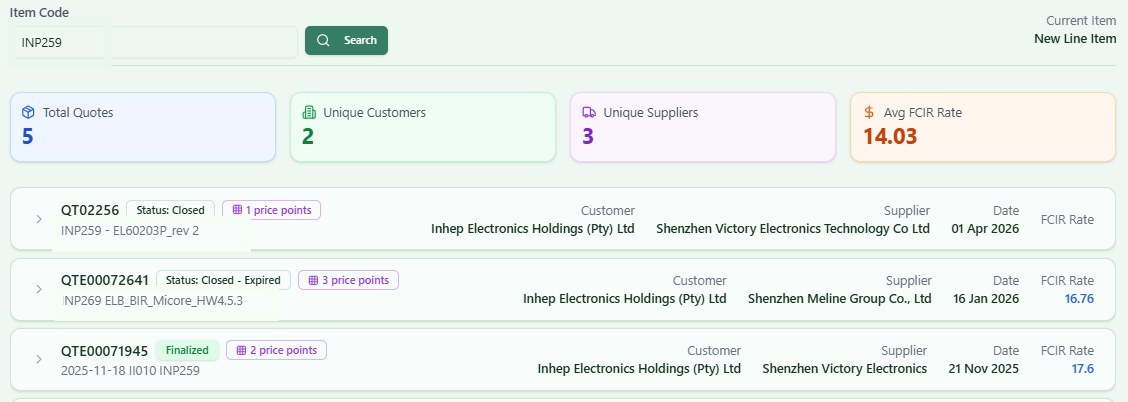
Now a History button on every pricing line, showing legacy and new quotes for the same part in one view.
After
How pricing works now: three moves.
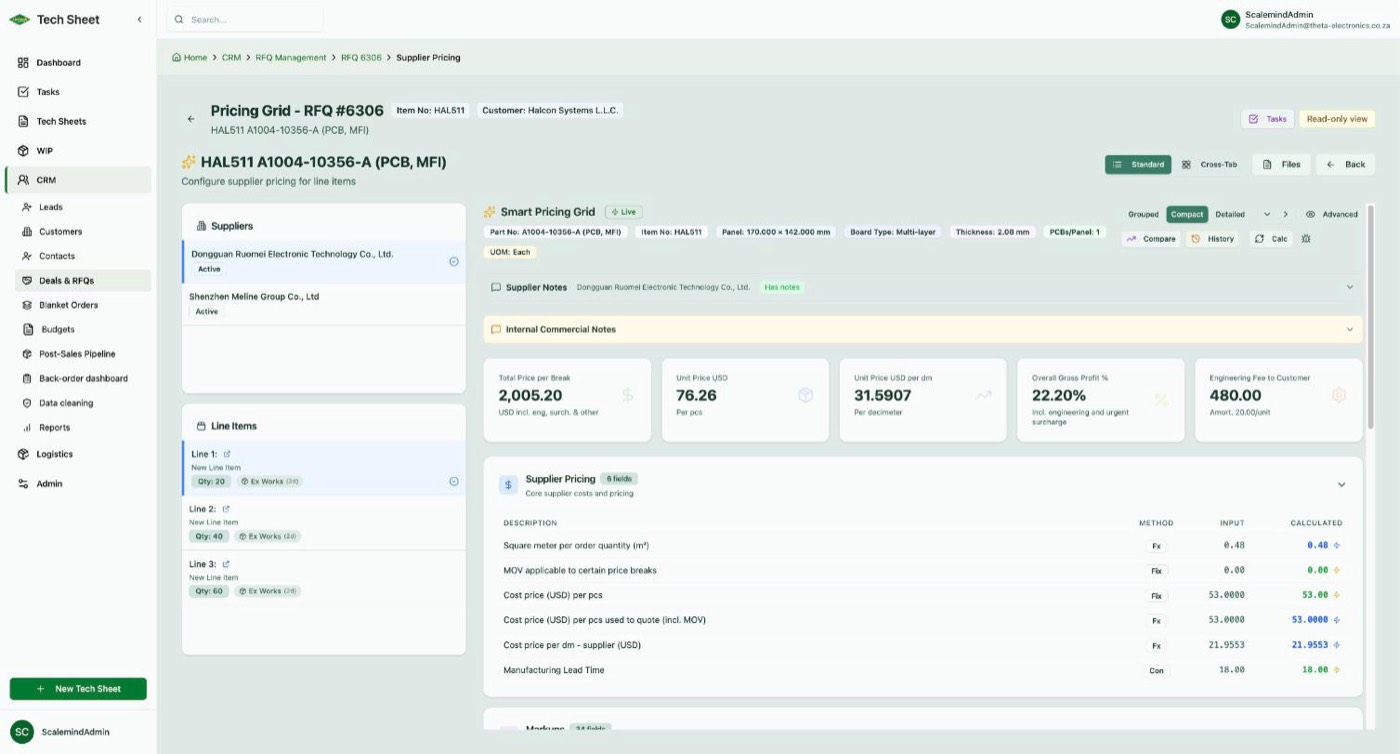
Price against a template
The RFQ pulls the PCB spec from the tech sheet and opens a pricing grid for each invited supplier. Freight, duties, engineering, surcharges and markup are calculated by the platform, not typed. Dependent lines are resolved in order by a topological sort, so one input change recalculates only what depends on it.
Compare, select, approve
Suppliers sit side by side. One click shows what the same part was quoted at before. The chosen line goes through commercial review and the configured approval profile.
Write once to Business Central
The platform writes the price into Business Central's pricing tables and raises the sales quote itself, including engineering and urgent-surcharge lines, converting to rand where needed.
Implementation
Eight weeks, no pause in quoting.
Quote Builder stayed live until the new engine had been proven in the Business Central sandbox. Cut-over was a date, not a migration weekend.
Weeks 1–2
Pricing templates and RFQ pricing grid
Cost structure modelled as templates; supplier-by-item grid delivered on the platform.
Week 3
Calculation engine
Formula, percentage and weight-based costing; exchange-rate handling for USD and ZAR quotes. Cost lines form a dependency graph (markup on freight on unit cost), so the engine orders every calculation with Kahn's algorithm, a topological sort, and flags circular references in a template before they reach a quote.
Weeks 4–5
Full RFQ workflow and Business Central push
Nine-stage pipeline live; pricing pushed to the Business Central sandbox and verified; quote creation built and unblocked once BC permissions were granted.
Week 6
Commercial review and grid refinements
Approval flow simplified with the sales team; pricing grid tuned from daily use.
Week 7
Cut-over and history migration
Last Quote Builder quote finalised on cut-over day; all 8,338 quotes and 24,541 price lines loaded into the new platform.
Week 8
History in the grid
Historic pricing, customer purchase history and supplier benchmarking available from the pricing screen.
Lessons
What we learned.
Outgrown a Power App? Let's talk.
ScaleMind replaces low-code tools that have hit their ceiling with platforms your business owns.